What Businesses Should Know Before Migrating Their CMS
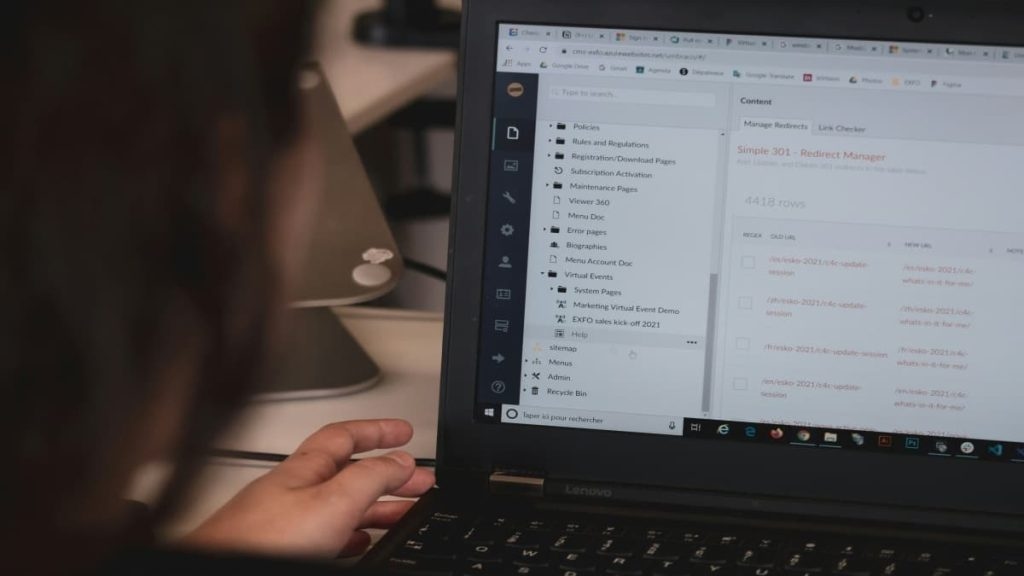
A content management system (CMS) sits at the heart of almost every company’s online presence. It powers the website, stores years of content, and connects with marketing, commerce, analytics, and customer tools. When a business moves from one CMS to another, it is not a small technical update. It is a high risk change to a core business asset.
Handled well, a CMS migration can improve performance, strengthen security, and give teams more room to grow. Handled poorly, it can damage search rankings, break key functionality, lose content, and disrupt operations for weeks.
Most CMS migrations fail not because the new platform is poor, but because the company underestimates the work involved. Before moving a single page, businesses need a clear plan, a full content review, a tested data process, and a launch plan that protects both users and search visibility.
The first question is not “which platform should we use?” It is “Why are we migrating at all?” CMS migrations cost time, money, and attention. They also carry risk, so the reason for moving needs to be specific.
Common reasons include poor performance, limited growth capacity, security concerns, high maintenance costs, weak publishing workflows, or missing capabilities such as headless delivery, omnichannel content, or better integrations.
A vague wish for a newer platform is not enough. Write down the exact problems the migration should solve and the results the business wants to see. Those goals will become the checklist used later to judge whether the migration worked.
Without that clarity, a company can spend heavily on a new CMS and still recreate the same bottlenecks it had before.
Audit your content before you move itContent is often the most underestimated part of a CMS migration. Over time, websites collect pages, blog posts, landing pages, images, PDFs, metadata, tags, and archived material. Some of that content remains valuable. Some is outdated, duplicated, inaccurate, or unused.
This is why many businesses rely on professional cms migration services to audit, organize, and transfer only valuable content while avoiding unnecessary clutter.
Migrating everything without review brings old problems into the new system. It also makes the project more expensive and harder to manage. Before migration, take stock of all existing content. Decide what should be kept, updated, merged, redirected, or removed.
This is also the right time to review how content is organized. Many older CMS setups store content as fixed pages, while modern platforms work better when content is reusable and easier to manage. Improving content organization before launch helps the new CMS work better from the start and reduces the need for another major rebuild later.
Search visibility is one of the biggest risks in any CMS migration. URLs may change, page templates may change, internal links may change, and metadata can be lost during transfer. If these details are handled poorly, search engines may struggle to connect old pages with their new versions, which can lead to ranking and traffic drops.
SEO planning needs to start before launch. Every old URL should be mapped to the correct new destination. Proper 301 redirects should be added so rankings, backlinks, and authority pass to the new pages as cleanly as possible.
Metadata, title tags, headings, canonical tags, image alt text, and schema data should also be preserved where relevant. Internal links need to be checked so users and search engines can move through the site without hitting broken paths.
After launch, submit updated sitemaps, monitor search performance, review crawl errors, and fix problems quickly. SEO should be treated as a main workstream in the migration, not as a final check.
A CMS rarely works alone. It often connects with CRM software, email platforms, analytics tools, payment gateways, customer support systems, search tools, personalization engines, and custom features.
Before migration, create a full list of every system the current CMS connects with and every custom feature it supports. For each item, confirm whether the new CMS supports it directly, needs a third party connector, or needs custom development.
Features that worked as plugins in the old CMS may need to be rebuilt for the new one. Missing this during planning can lead to a live site that cannot process payments, send leads, track analytics, or support key workflows. Mapping dependencies early also helps prevent expensive surprises near launch.
Many businesses budget for the new CMS license and development work, then miss the other costs. A full migration may also include content cleanup, front end rebuilding, integration work, data transfer, testing, training, technical support, and post launch monitoring.
There is also an internal cost. Staff will need time to review content, test workflows, learn the new CMS, and adjust to the updated process.
Timelines are often underestimated, too. A small site may move in a few weeks. A complex website with custom features, heavy content, and many integrations can take months. Problems usually begin when teams rush the schedule.
It is better to set a realistic timeline with room for testing and fixes than to force a launch date and publish a broken site. Leadership should see the full investment before work begins, including the less obvious costs.
CMS migrations require several skills, including content strategy, SEO, development, data migration, quality assurance, and project management. Most businesses do not have all of those skills available internally at the same time.
There are usually three options: handle the migration in house, hire a specialist partner, or use a mixed team.
Internal teams know the business well, but they may not have migration experience or enough available time. A failed do-it-yourself migration can cost more to repair later than expert help would have cost at the start.
For complex projects, professional cms migration services can support content mapping, automated transfers, redirect planning, integration rebuilds, testing, and launch support. The right choice depends on project complexity and the skills already available within the company.
Moving content is not a simple copy-and-paste job. Different CMS platforms store data in different ways, so content rarely moves cleanly without planning.
Images, documents, authors, publish dates, categories, tags, custom fields, and page relationships all need to land in the correct place. On larger sites, manual migration is usually too slow and risky, so automated scripts or migration tools are often needed.
Those tools should be tested on a small sample before the full migration. This helps find formatting issues, missing fields, broken media, or incorrect content relationships before they affect the whole site.
A complete backup is also necessary before any data is moved. If something fails during migration, a tested rollback plan can prevent a small problem from becoming a major failure.
A CMS migration should never go straight to the live site. Build and test the new setup in a staging environment that closely matches production.
Testing should confirm that content displays correctly, redirects work, links are valid, forms submit properly, integrations function as expected, and the design works on different devices. Performance, accessibility, security, and SEO elements should also be checked.
Content editors should be involved during this phase. They use the CMS daily and can spot workflow issues that developers may miss. Testing with real users before launch helps prevent confusion and delays after launch. Fixing problems in staging is far cheaper than fixing them on a live website.
A CMS migration changes more than technology. It changes how marketers, editors, administrators, and other teams create and manage content.
Even a better platform can feel difficult at first if users are not prepared. New workflows, new interfaces, and new publishing rules can slow teams down if training is skipped.
Training and documentation should be part of the project plan. Give teams time to learn the new CMS before they depend on it for daily work. Provide clear guides for common tasks and choose internal users who can help others after launch. Good preparation helps the new CMS get adopted faster and reduces frustration.
The launch needs its own plan. Decide when the switch will happen, who owns each task, and what must be checked before the new site goes live.
DNS changes, SSL certificates, redirects, analytics tracking, forms, search tools, and key integrations should all be ready before launch. The launch window should be chosen during a low traffic period when possible.
A rollback plan is equally important. If a major issue appears during launch, the team needs to know exactly how to return to the previous system safely and quickly.
The work also continues after the site is live. The first days and weeks should include active monitoring of performance, search rankings, error logs, form submissions, and user behavior. Small issues after launch are common. The goal is to find and fix them before they grow.
The companies that get the most value from CMS migration treat it as more than a technical move. It is a chance to clean up old content, improve site speed, strengthen security, simplify workflows, and prepare the website for future business needs.
If the goal is only to move everything from one platform to another, the migration becomes a cost. If the goal is to improve the way the business manages content, the migration becomes a long term investment.
A CMS migration is a major project, but it does not have to be a gamble. Clear goals, realistic budgeting, careful content planning, disciplined SEO work, proper testing, and the right people can make the difference between a difficult launch and a successful move.
(Photo by Compagnons on Unsplash)

HackRead